A site goes live. Everyone’s proud of how it looks. And then nothing. Weeks go by, traffic trickles in at a pace that would embarrass a brochure, and by the third month it clicks: search engines barely know the site exists.
Web development and SEO, run as one process, means the decisions that decide whether a site can be crawled, rendered, indexed and cited are made before and during the build rather than after launch: the semantic core, the site architecture, the URL structure, the rendering approach, the CMS, structured data and Core Web Vitals. Each of them is cheap to set before code exists and expensive to unpick once the site is live.
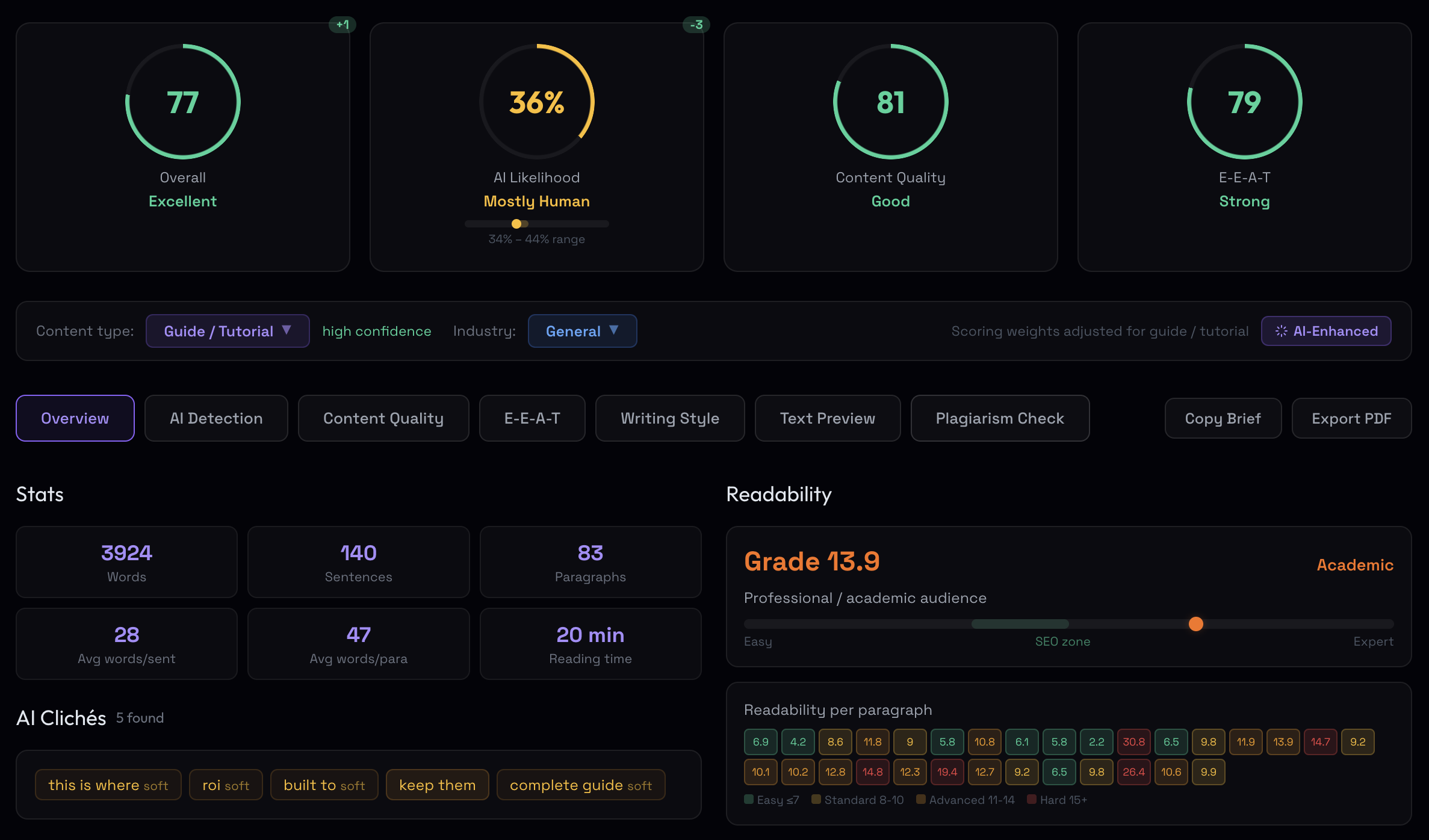
I’ve watched this play out more times than I’d like to admit, and it’s almost never a design problem or a content problem on its own. It’s a timing problem. Most teams treat SEO as something you bolt on after launch, when the decisions that matter most, the ones that are painful and expensive to undo, all happen before anyone writes code. Build with SEO in the plan and you skip the cleanup that otherwise eats three to six months after launch. This is how my team runs every build, custom web development and SEO as one process, and we write the first batch of content during development, scored by our own analyzer before a word goes live. Some of the screenshots here come from that tool, Algorithm. Most of what ranks for this query is a list of tips for developers; this is the set of decisions those tips assume someone already made.
TL;DR
- The expensive SEO decisions (search demand, architecture, rendering approach, the CMS) happen before code. Retrofitting costs three to six months.
- Rendering is the decision nobody in the room owns. If your content only exists after JavaScript runs, Google sees it late and the AI engines don’t see it at all.
- Core Web Vitals thresholds: LCP under 2.5s, INP under 200ms, CLS under 0.1, at the 75th percentile of field data. FID is retired, and the “LCP is now 2.0s” claim is false.
- The CMS decides whether a marketer can set a title, a canonical, a slug and a redirect without a ticket. Pick it against who runs SEO day to day, not against a feature list.
- Write SEO into the definition of done. The acceptance checklist near the end is the one I hand to the engineering lead before the first sprint.
How web development and SEO work together: who owns what
People picture SEO and web development as two separate jobs handed to two separate teams: the developers build the thing, then the SEO people show up afterwards to optimize it. That hand-off is where ranking potential leaks away. Think about what gets decided in code. How the site is structured. How URLs are formed. Whether a page renders in a way a crawler can read, or only after a JavaScript bundle executes in the browser. How fast it loads on a mid-range phone. What markup describes the content to a machine. None of those are “add it later” tasks. They’re architecture, and architecture is the developer’s domain. By the time an SEO specialist is brought in post-launch to fix them, the cheap window has closed and you’re paying for rewrites in place of decisions.
Developers don’t have to become SEO experts, and the reverse is also true. What the two have to share is a plan, and a clear line on who owns which decision:
| Decision | SEO owns | Development owns |
|---|---|---|
| Search demand and page inventory | Which pages exist, which intent each one serves, target URL per cluster | Content model and templates that can hold them |
| URL structure | Pattern per page type, slug rules | Routing, trailing slashes, case, parameter handling, redirects |
| Rendering | Which pages must be readable without JavaScript | SSR / SSG / hybrid choice, hydration, framework |
| Metadata and schema | Title and description rules, schema types per template | Editable fields in the CMS, JSON-LD output, validation |
| Performance | Thresholds per template, field-data review | Performance budget, image pipeline, script loading, caching |
| Crawl controls | What is indexed, what is blocked, which crawlers are allowed | robots.txt, sitemap generation, canonical logic, status codes |
| Launch | Pre-launch audit, Search Console, tracking | Staging block removed, redirects live, monitoring |
Get that table agreed and SEO becomes a property of a well-built site, the way accessibility is on a team that put it in the brief.
SEO decisions by project phase: before, during, pre-launch
SEO is a set of decisions spread across the project, and they land in three windows.
Before development. Your keyword strategy (the semantic core), your site architecture and your rendering approach get locked in. Change your mind later and you’re re-pouring the foundation.
During development. URL patterns get encoded. Meta tags, schema, the whole technical skeleton gets wired up here.
Before launch. Everything gets tested and audited. A problem caught in this window is a quick fix. The same problem caught a month after launch is an emergency, complete with re-crawling and lost ground.
| Phase | What gets decided | Cost of changing it later |
|---|---|---|
| Before development | Semantic core, site architecture, rendering strategy, CMS | Highest: structural rewrite or replatform |
| During development | URLs, meta, schema, internal links | Medium: redirects, re-crawl |
| Before launch | QA, validation, audit | Low: quick fixes |
| After launch | Everything above, in panic mode | Emergency: lost rankings |
One case sits outside this table: a site that already has rankings. There the same decisions carry a second cost, the equity you lose while making them, and the migration work that protects it is a discipline of its own. I’ve written it up in the B2B website redesign guide; this article assumes a clean sheet.
Search demand before architecture: the semantic core
The semantic core is the structured answer to one question: what is this site about, and what are people searching for when they need it? It’s the first input to architecture, because it tells you which pages need to exist before anyone decides how they nest.
The work runs in four steps. Pull the primary topics (usually 5–15 core themes), the long-tail variations that reveal intent, and the question-shaped queries, the “how to,” “what is,” “where to find” ones; that last bucket matters more than it used to, because those are the prompts people type into an assistant verbatim. Cluster keywords that mean roughly the same thing, then label each cluster by what the searcher wants: to learn, to find a site, to compare, or to buy. Intent is the part most teams skip, and loose clustering (lumping “best X” with “what is X”) wrecks the architecture downstream, because you build one page for two intents and it ranks for neither. We built our own clustering engine to keep intent boundaries clean at scale; the principle holds regardless of tool. Map every cluster to an area of the site. Then write it down: one sheet with topic pillar, primary keyword, volume, difficulty, long-tail variations, target URL and intent, shared with everyone touching the project. A semantic core that lives in one person’s head is a liability.
Site architecture, URLs and internal linking
Your structure decides whether search engines can reach your content efficiently, which pages accumulate authority, and how quickly new pages get indexed. The principles I hold to:
- Keep the hierarchy shallow and logical. Three to five primary categories, subcategories under those, individual pages under those, with everything within three clicks of the homepage.
- Keep URLs flat and readable. Three levels deep, max.
/resources/blog/seo-techniquesis fine./resources/guides/content/seo/techniques/best-practicesis a maze. Hyphens between words, lowercase, no stray parameters, three to five words, and one canonical form for trailing slashes and www, enforced by a redirect at the server. - Organize by theme. Pillar pages that cover a major topic, each supported by cluster pages that go deep on subtopics, interlinked deliberately, with anchor text that describes the destination and the important links high on the page.
- Leave no page orphaned. Every page you want indexed should be reachable from navigation, footer, or an internal link. If nothing points to a page, search engines treat it as if it doesn’t exist, and there’s a rendering trap hiding in that rule, which the next section gets to.
Pillar: "Content Marketing Strategy: Complete Guide"
├── Cluster: "Content Marketing for SaaS"
├── Cluster: "Content Calendar Creation"
└── Cluster: "Measuring Content ROI"Decide the URL strategy before the build. Changing URLs later means a redirect map, and redirect maps are where equity goes missing: not because a 301 loses anything by itself (it doesn’t, and the 301 redirect SEO penalty is a myth worth a separate article), but because chains, mismatched targets and forgotten internal links pile up around it. A visual sitemap drawn before development is the blueprint for all of it.
JavaScript rendering: SSR, SSG, CSR and Googlebot’s two waves
This is the decision that lives entirely in code, gets made by default when nobody names it, and is the single biggest gap in the guides that rank for this topic. It turns on one question: is your content in the HTML the server returns, or does it only appear after a JavaScript bundle runs in the browser?
Google handles JavaScript in two waves, and most indexing problems live in the gap between them. In the first wave, Googlebot fetches the raw HTML (what the server returns before any script executes) and reads the links, the metadata, and whatever text is already there. If your content isn’t in that response, wave one sees an empty shell. In the second wave the URL goes into a render queue, where Google’s Web Rendering Service (an evergreen Chromium engine) executes the JavaScript and produces the final DOM. Only then does Google see client-side content. Rendering is expensive, so Google defers it, and the queue is where the time goes. On a high-priority site the gap is minutes; on a large or low-authority site it stretches to days, and on the slowest it’s been observed at a week or more. Publish time-sensitive content client-side and it can be stale before it’s indexed.
Three rendering strategies sit behind this. Server-side rendering (SSR) builds the full HTML on the server and ships it complete, so the crawler gets everything in wave one, no queue. Static site generation (SSG) pre-builds the HTML at deploy time, faster still and ideal for content that doesn’t change per request; incremental static regeneration (ISR) is the same idea with pages rebuilt on a schedule, which is what most marketing sites on Next.js should be running. Client-side rendering (CSR) ships a near-empty shell plus a bundle and builds the page in the browser: fine for an app behind a login, dangerous for anything that needs to rank. The rule I hold: if a page earns organic traffic, its primary content belongs in the server HTML. Reserve pure CSR for dashboards and authenticated states Google was never meant to index.
The framework question people ask is “is React bad for SEO,” and the answer is that no framework is; the default it ships with can be. Next.js, Nuxt, SvelteKit, Remix and Astro render on the server or at build time out of the box. Create React App, a bare Vite + React setup, or Angular without Universal ship a client-rendered shell, and a marketing site built on one of those needs a deliberate decision to add prerendering or SSR. Hydration is the third place it goes wrong: the server HTML is fine, then a client-side data fetch replaces it with a loading state or a different title, and the two versions disagree. Google indexes whichever it saw last; you don’t get to choose.
A client-side-routing trap catches teams who think they’ve solved rendering. In a single-page app, navigation often happens in JavaScript without an <a href>, so the internal links that carry authority between pages are invisible to wave one. The pages might render eventually, but the link graph that tells Google how they relate never forms. Test for it by crawling with JavaScript rendering switched off in Screaming Frog: every page that comes back thin or empty, and every link that doesn’t appear, is a page or a path the crawler can’t rely on.
Then the part that changed the calculus, because “Google renders it eventually” stopped being enough. The AI answer engines do not execute JavaScript. Vercel’s December 2024 analysis of crawler traffic across its network found GPTBot downloading JavaScript files in about 11.5% of its requests and ClaudeBot in about 23.84%, and neither executing any of it; a server-log study in January 2026 replicated the finding, with GPTBot’s script execution “extremely limited” rather than literally zero. PerplexityBot behaves the same way. The one exception is Google’s Gemini, which rides on Googlebot’s rendering service. One nuance from Vercel’s data that matters for modern stacks: content that sits in the initial HTML response can still be ingested even when it’s inside a JSON payload or a serialized server component, because the models read non-HTML text; what they can’t do is run the script that would fetch it. So a client-rendered page can rank perfectly well in classic Google search while being a blank shell to ChatGPT, Claude and Perplexity, cited by none of them, because the crawler that feeds them only ever saw a loading state. Bingbot, which ChatGPT’s search draws on, renders JavaScript only partially, so a CSR site can be cut off from two directions at once.
The test costs two minutes. Open the page and view source (the served HTML, not the DevTools Elements panel, which shows the rendered DOM after scripts run), then search for a sentence of your main content. If it’s in view source, both Google and the AI crawlers can read it. If it only appears in DevTools, you’re depending on a render some crawlers do late and most don’t do at all.
SEO-friendly frontend: semantic HTML, links, images, accessibility
Rendering decides whether the content reaches the crawler. Markup decides what the crawler makes of it, and the frontend habits that cost nothing at build time are the ones that get retrofitted at the highest price.
One <h1> per page that names the topic, with <h2> and <h3> carrying the structure, not the styling; if the design wants a small visual headline, style the tag, don’t demote it. Landmarks (<main>, <nav>, <article>) so the primary content is separable from boilerplate. Links as <a href>, never as a <div> with a click handler, for the reason the previous section gave. Images with width and height attributes so the browser reserves the space (that’s most of CLS), descriptive alt, and loading="lazy" on everything below the fold and on nothing above it: a lazy-loaded hero is the single most common self-inflicted LCP failure I find in audits, because the browser defers the one image the metric is measuring. Give the LCP image fetchpriority="high" instead. Buttons as <button>, form fields with <label>, focus states left intact.
That last set is accessibility, and it belongs in this section rather than in a separate audit because it’s the same markup. A page a screen reader can navigate is a page a crawler can parse: the heading outline, the labelled controls, the text alternatives are what both of them read. WCAG 2.2 AA is what enterprise procurement now asks for, and the European Accessibility Act has applied to new digital services since June 2025. Fixing it in the component library once is cheap; fixing it page by page after launch is a second project.
Core Web Vitals in the build: thresholds and what causes failures
These are confirmed ranking factors, and a couple of numbers people memorized are still circulating wrong. The current thresholds, measured on field data at the 75th percentile:
| Metric | “Good” threshold | Note |
|---|---|---|
| LCP, Largest Contentful Paint | under 2.5s | The “Google tightened this to 2.0s in 2026” claim spread across SEO blogs and is false; Google’s documentation still lists 2.5s. |
| INP, Interaction to Next Paint | under 200ms | Replaced FID in March 2024. FID is gone; Chrome dropped support for it. Don’t optimize for it. |
| CLS, Cumulative Layout Shift | under 0.1 | Give every image, video, iframe and ad slot explicit dimensions. |
INP trips people up most. If your checklist still references “First Input Delay under 100ms,” it’s two years out of date, and INP is stricter because it watches every interaction across a session. The numbers come from the Chrome User Experience Report, users in the field at the 75th percentile, which is why a page that flies on your laptop can still fail. Read them per template: the listing page, the category page and the homepage fail differently, and a site-wide score hides all three. The bar is lower than it looks: roughly half of sites pass all three on mobile (Web Almanac), so merely passing already beats half the web, and Rakuten 24’s A/B test, where the faster variant earned 53% more revenue per visitor with performance the only difference, is the number to show whoever owns the budget.
What causes the failures is more useful than the thresholds, because the causes are build decisions:
- LCP fails on a slow server response (TTFB over 800ms leaves no room for anything else), a hero image that is lazy-loaded, unsized or served as a 2 MB PNG instead of a responsive AVIF/WebP set, render-blocking CSS and fonts in the head, and client-side rendering that pushes the largest element behind the bundle. Preconnect to the CDN, inline the critical CSS,
font-display: swapwith a preloaded primary font, and the LCP image in the server HTML. - INP fails on main-thread work: a heavy framework hydrating the whole page, a mega-menu, a chat widget, a consent banner and three analytics tags all initializing in the same second. Defer third-party scripts until after interaction, split the bundle by route, and move tag managers off the critical path; the third-party inventory is a launch deliverable, not a marketing afterthought.
- CLS fails on images and embeds without dimensions, fonts that swap late and change line heights, banners injected above content after load, and ad or widget slots that expand. Reserve the space, every time.
Mobile is where all three get measured, because Google indexes the mobile version of the page and most B2B field traffic is a phone on a cellular connection. Responsive layout is the floor; the check is on a mid-range Android over throttled 4G, with content readable without zooming and tap targets at least 48px. The rest of that check, viewport, parity between mobile and desktop content, interstitials, is in our mobile SEO checklist.
Crawl and index controls: robots.txt, sitemap, canonicals, HTTPS
The technical skeleton that should be in place at launch:
- robots.txt. Block what crawlers don’t need (admin, staging, internal search, parameter combinations) while keeping CSS and JavaScript open, and point to the sitemap. One 2026 addition: decide, by agent name, how you treat the AI crawlers, because they aren’t interchangeable. OpenAI’s GPTBot is the training crawler and OAI-SearchBot is the one that feeds ChatGPT search; a rule written in 2023 to keep GPTBot out doesn’t touch search, and a blanket block written last year keeps you out of the answers. Google-Extended controls Gemini training and grounding and has no effect on AI Overviews or AI Mode, which run on Googlebot. ClaudeBot and PerplexityBot split the same way. And since July 2025 Cloudflare blocks AI crawlers by default on new zones, so a site that launches behind Cloudflare can be invisible to the assistants without anyone deciding it.
- sitemap.xml. Every page that matters, auto-generated by the CMS so it stays current, split before the 50,000-URL / 50 MB per-file limit and gathered under a sitemap index. Google reads
lastmodand uses it when it’s accurate, and ignorespriorityandchangefreqentirely; a sitemap where every URL’slastmodis the deploy timestamp teaches Google to ignore yours too. - Canonical tags. Self-referencing on unique pages, so you don’t split authority across duplicate URLs. On JavaScript stacks, verify the canonical in the served HTML matches the one after render; they can diverge, and the CMS section explains why.
- Staging. Blocked with HTTP authentication (a 401) plus an
X-Robots-Tag: noindexheader, and never with robots.txt alone, which stops the crawl but not the indexing of the URL. Removing the block goes on the launch checklist as its own line; a noindex shipped to production is the launch bug I get called about most. - HTTPS. Valid certificate, a single 301 from HTTP to HTTPS with no chain through www, and an HSTS header.
Structured data: JSON-LD and what it’s for in 2026
Schema turns plain text into structured data that search engines, and increasingly AI models, can read without guessing. The types most sites need: Organization on the homepage (name, logo, contact, sameAs to the social and directory profiles; the backbone of a knowledge panel), Article or BlogPosting on posts (headline, dates, author as a Person with a URL), BreadcrumbList on every page, and Product, Service or LocalBusiness where they apply. One deletion from the usual list: FAQPage. Google restricted FAQ rich results to government and health sites in 2023 and dropped them entirely in 2026 (announced 8 May, removed from the Rich Results Test and the Search Console report in June), so marking up an FAQ block no longer buys a rich result. Keep the markup if other engines use it; don’t build a page around it.
Use JSON-LD. It lives separately from your HTML, and it’s the format Google explicitly prefers. The shape of it:
<script type="application/ld+json">
{
"@context": "https://schema.org",
"@type": "Article",
"headline": "Web Development and SEO",
"datePublished": "2026-06-08",
"author": {
"@type": "Person",
"name": "Roman Makuev",
"url": "https://seo-algorithm.com/"
},
"image": "https://example.com/cover.png"
}
</script>Schema matters more each year for a reason that has little to do with rich results: grounding. When a page names an entity (a person, a product, an organization), schema is how a machine ties those words to a thing it can trust, in place of inferring one and sometimes getting it wrong. It matters doubly for the AI engines, which lean on structured data harder than classic crawlers because it lets them extract a fact rather than guess at it, and because, per the rendering section, they can’t run the JavaScript that would reveal the same fact in the visible page. The rule that trips people up: your schema must match what’s visible on the page, and it has to be in the served HTML, not injected by a tag manager after load. Before launch, run one URL per template through the Rich Results Test and the Schema.org validator; they check different things.
CMS choice for SEO: WordPress, Webflow, headless
A failure I see land after every other decision on this page was made correctly: the strategy is sound, the architecture is clean, the content adds something, and the CMS won’t let anyone ship it. The platform decides what you can control, and if it can’t edit the SEO primitives, no amount of strategy gets past it. Before you commit to a platform, the question is whether an editor can set, per page, without a developer: the title tag and meta description, the canonical, the H1 independent of the visual headline, the URL slug, the structured data, and a redirect when the URL changes. If any of those routes through an engineering ticket, your SEO velocity is capped at the speed of the deploy queue.
The platforms differ in where they pinch. WordPress with Rank Math or Yoast gives you the deepest control (20-plus schema types through a visual builder, per-page everything) at the cost of plugin sprawl and the classic conflict where two plugins each set a canonical and Google picks the wrong one. Webflow exposes title, meta, canonical and Open Graph natively with no plugin, canonical lives in page settings, and CMS collections auto-canonicalize to their template; it’s clean, but native schema depth is thin, so anything past the basics needs a code embed or a marketplace app. Shopify handles the commerce primitives well and fights you on URL structure (/collections/x/products/y duplicates are canonicalized, not removed) and on robots.txt, which was locked until 2021 and is still edited through a theme template. Headless (Contentful, Sanity, Storyblok on a Next.js or Nuxt front end) gives engineers total control and gives marketers nothing by default: meta tags, canonicals, structured data and sitemaps don’t exist until someone builds them, which is why so many headless launches turn into invisible websites. Headless also carries a failure mode monolithic platforms don’t: the canonical in the CMS field and the canonical in the rendered output can diverge, because a component injects a page-level tag the template already set, so the page claims two different canonicals and Google resolves the conflict for you, usually the wrong way. On headless, fixing a canonical is a deploy.
None of these is wrong. The mistake is choosing one without mapping it against who has to run SEO day to day. If the team is non-technical and needs to move fast, a platform that surfaces the SEO fields natively beats one that’s theoretically more powerful and practically blocked on engineering. Decide that before the build, because migrating CMS after launch is its own painful project.
The developer’s AI search checklist
A growing share of queries get answered directly, inside Google’s AI Overviews or inside ChatGPT, Perplexity, Gemini and Claude, without the user clicking through, and the link between ranking and being cited has loosened: in Ahrefs’ March 2026 study about 38% of AI Overview citations came from pages in the top ten for the query, against 76% in its July 2025 run, with Ahrefs itself cautioning that detection improved between the two. Hold the exact number loosely and the direction firmly. The reassuring part is that there’s no separate dark art. Google’s own guidance on AI features (May 2025) says the foundation for AI Overviews and AI Mode is the same as for Search: original content, a crawlable and well-structured site, a clear answer near the top. What the build adds on top of that:
- The answer is in the served HTML. The rendering section cashing out. The AI crawlers don’t execute JavaScript, so a page that ranks on Google and is cited nowhere else is usually a page whose content only exists after hydration.
- The search agents are allowed by name. OAI-SearchBot, ClaudeBot, PerplexityBot in robots.txt; the Cloudflare default checked; GPTBot and Google-Extended decided separately, because those are training decisions.
- Each page answers its question in the first hundred words, with headings phrased as the questions people ask, so a passage can be lifted whole.
- Authors and the organization are entities. Person and Organization schema with
sameAs, an author page, external references a model can resolve. - The AI referral segment exists before launch. ChatGPT appends
utm_source=chatgpt.comto the links it hands out, Perplexity and Copilot pass a referrer; Search Console folds AI Mode clicks into the web report with no separate filter.
What I don’t have is a defensible number for how much traffic that segment is worth to a new site in its first year; the assistants don’t report clicks, and the studies that claim a conversion uplift for AI referrals don’t publish a method I can check. On client sites the segment has been doubling year over year from a small base. One thing I’d leave off the list: llms.txt. Google has said it doesn’t use it, and no major assistant has documented reading it; it costs nothing to add and I wouldn’t count it as done work.
Launch content: score it before it ships
The build decisions above make a site readable. What gets it ranked, and cited, is whether the launch content adds anything to what the index already holds for each query. Since the March 2024 core update Google scores helpfulness site-wide, so a launch set padded with thin, templated pages doesn’t only fail on its own; it lowers the grade the service pages inherit, and the re-rating lands at a later core update, months out. This is why my team writes the first batch of content during development, and runs every piece through our analyzer before it publishes: it flags AI-pattern density, checks whether the page adds information against the pages already ranking, and grades it against the genre. A page that scores as a rehash never goes live. The tooling is ours; the habit travels: measure what a page adds before you publish it, and launch with ten pages that add something over fifty that don’t. How to grade an existing library the same way is in the B2B SEO audit guide.

Measurement: Search Console setup, GA4 and what to watch
Search Console goes up before launch, not after, because it takes days to accumulate data and the first week is when you need it. Verify the domain property through DNS (it covers http, https, www and subdomains in one), submit the sitemap index, and confirm the staging property, if one existed, is removed. GA4 gets its event-level retention switched from the two-month default to fourteen months on day one, and the key events (demo, contact, signup) are firing on staging before the site is public.
After launch, once a month is plenty. Watch organic clicks and impressions by page, the average position of the semantic core, how many pages are indexed against how many you submitted (the Pages report in Search Console names the reason for every gap), and Core Web Vitals field data per template; remember that the CWV report runs on a rolling 28 days, so it describes the new site only a month in. Add the low-tech check: open ChatGPT, Gemini, Perplexity and Copilot, ask them the questions your customers ask, and see whether your name comes up and whether what they say is right. Make your changes, then leave them alone for four to six weeks before deciding whether they worked.
SEO-first web development timelines by project size
None of this is a rule, but after enough projects the shapes are consistent.
| Project size | Duration | Shape of the work |
|---|---|---|
| Small (10–20 pages) | 2–4 weeks | Core + architecture → URL strategy + templates → build against the criteria below → pre-launch audit → launch |
| Mid-size (50–200 pages) | 6–8 weeks | Planning + stakeholder alignment → architecture + templates → active dev → pre-launch prep → launch |
| Enterprise (500+ pages) | 12+ weeks | Comprehensive planning + competitive analysis → tech specs → two dev phases (schema in the second) → phased launch with monitoring |
SEO acceptance criteria checklist for developers
The way to keep all of this from becoming a post-launch cleanup is to write it into the definition of done, the same way accessibility and security go into the brief. A template doesn’t pass review until it passes these, and each one has an owner who isn’t “the SEO person.” The list I hand to the engineering lead before the first sprint:
| Criterion | How it’s tested | Owner |
|---|---|---|
| Primary content and internal links present in served HTML | View source contains a sentence from the main copy; Screaming Frog crawl with JS off returns full text and all links | Front-end lead |
| Canonical and title parity | Canonical and title in served HTML equal the ones after hydration, on every template | Front-end lead |
| Semantic markup | One H1, heading outline in order, links as <a href>, images sized with alt, LCP image not lazy-loaded; axe or Lighthouse accessibility pass with no critical issues | Front-end lead |
| Editor controls the SEO primitives | Marketer sets title, description, canonical, H1, slug, schema and a redirect on a test page without a ticket | CMS / platform |
| Core Web Vitals per template | LCP < 2.5s, INP < 200ms, CLS < 0.1 in lab on a throttled mid-range phone; third-party script inventory signed off; field data reviewed at 30 days | Performance |
| robots.txt and sitemap | Staging blocked with 401 + X-Robots-Tag; production allows Googlebot and the search agents by name; sitemap index under the 50,000-URL limit with accurate lastmod | DevOps |
| Structured data | Organization, BreadcrumbList and the page-type schema in served HTML, valid in the Rich Results Test and the Schema.org validator, matching visible content | Front-end lead |
| Launch content scored | Every page in the launch set passes an information-gain check against the current top 10 | Content |
| Tracking live before launch | Search Console domain property verified, sitemap submitted, GA4 key events firing on staging, retention at 14 months, rank tracker loaded with the semantic core | Marketing ops |
Web development mistakes that hurt SEO
The failures I see most often are the rows above, missed. In the order I meet them:
- Client-side rendering on pages that need to rank. The content is visible in the browser, late to Google, invisible to every AI engine.
- Client-side routing without
href. The pages exist, the link graph doesn’t, and nobody can see why rankings sag. - A staging noindex shipped to production, or a canonical still pointing at the staging domain.
- The lazy-loaded hero. One attribute, and the LCP element is the last thing to load.
- Third-party scripts nobody inventoried. Chat, consent, heatmaps, three tag managers; INP fails and every team says it wasn’t theirs.
- Two canonicals on one page, from two plugins or from a component and a template on a headless stack.
- A CMS the marketer can’t edit. Title, slug and redirect changes queue behind feature work, and the semantic core never gets built out.
- Checklists from 2023. Optimizing for FID, chasing a 2.0s LCP Google never set, marking up FAQs for a rich result that no longer exists.
- Launching with no Search Console and no analytics, so for the first weeks nobody can see anything at all.
Web development and SEO FAQ
Is SEO cheaper if you do it during development?
Much cheaper. Fixing it on a live site usually means three to six months of cleanup plus the structural rewrites nobody enjoys: changing URLs, building redirect chains, waiting on re-crawls. The decisions you make before any code exists, like architecture and the semantic core, cost almost nothing to set and a small fortune to unpick.
Does client-side rendering hurt SEO?
It can, and the damage is uneven. Google will usually render a client-side page eventually, on a delay that runs from minutes to days, and time-sensitive content can be stale before it’s indexed. The bigger problem in 2026 is that the AI crawlers don’t render JavaScript, so a client-rendered page can rank on Google and be a blank shell to ChatGPT, Claude and Perplexity. If a page needs to rank or be cited, put its content in the server HTML.
Are JavaScript frameworks bad for SEO?
No framework is; the default rendering mode can be. Next.js, Nuxt, SvelteKit, Remix and Astro render on the server or at build time out of the box. A bare React, Vue or Angular single-page app ships an empty shell and needs SSR or prerendering added deliberately. Check the served HTML, not the framework’s name.
Is FID still a Core Web Vital?
No. It was retired in March 2024 when Interaction to Next Paint took over, and Chrome dropped support entirely. Hit INP under 200ms, LCP under 2.5s, and CLS under 0.1, measured on field data. Ignore any checklist still naming FID, or one claiming Google lowered LCP to 2.0s.
Does ranking #1 guarantee a citation in Google’s AI Overview?
Less than it used to. In Ahrefs’ March 2026 study about 38% of AI Overview citations came from top-10 pages, against 76% the previous July, with the caveat that detection improved between the two runs. What earns the citation is depth, an author Google can verify, content that adds something, and being readable without JavaScript.
Which CMS is best for SEO?
The one whose editor can set title, description, canonical, H1, slug, schema and a redirect per page without a developer. WordPress with a good SEO plugin does that with the most depth; Webflow does it natively with thinner schema; headless does it only after someone builds it. Choose against who runs SEO day to day.
Does a redesign of an existing site carry the same risks?
The same decisions plus one more: the equity the old site already earned. URL changes, template changes and a rebuilt navigation can drop rankings even when everything above is done right, and the migration work that prevents it is covered in the B2B website redesign guide.
Why SEO starts before the first line of code
The development stage is the most leverage over search visibility you will ever have.
The sites that end up owning their search results almost never got there by luck. Someone decided, before a line of code was written, how the thing would be structured, which topics it would own, how it would render, and how information would move through it. A small edge at the foundation turns into a wide gap a year down the line.
My bet for the next two years: by 2028 the view-source test will sit in every serious front-end team’s definition of done next to the accessibility audit, and “it ranks on Google but no assistant has ever cited it” will be the diagnosis that ends the client-side-rendering argument for marketing sites for good.
If carrying it yourself isn’t realistic, that’s what our web development team does: design, build and search as one process, with the rendering and the CMS decided before the first sprint.